

Click Below to Join the Webinar
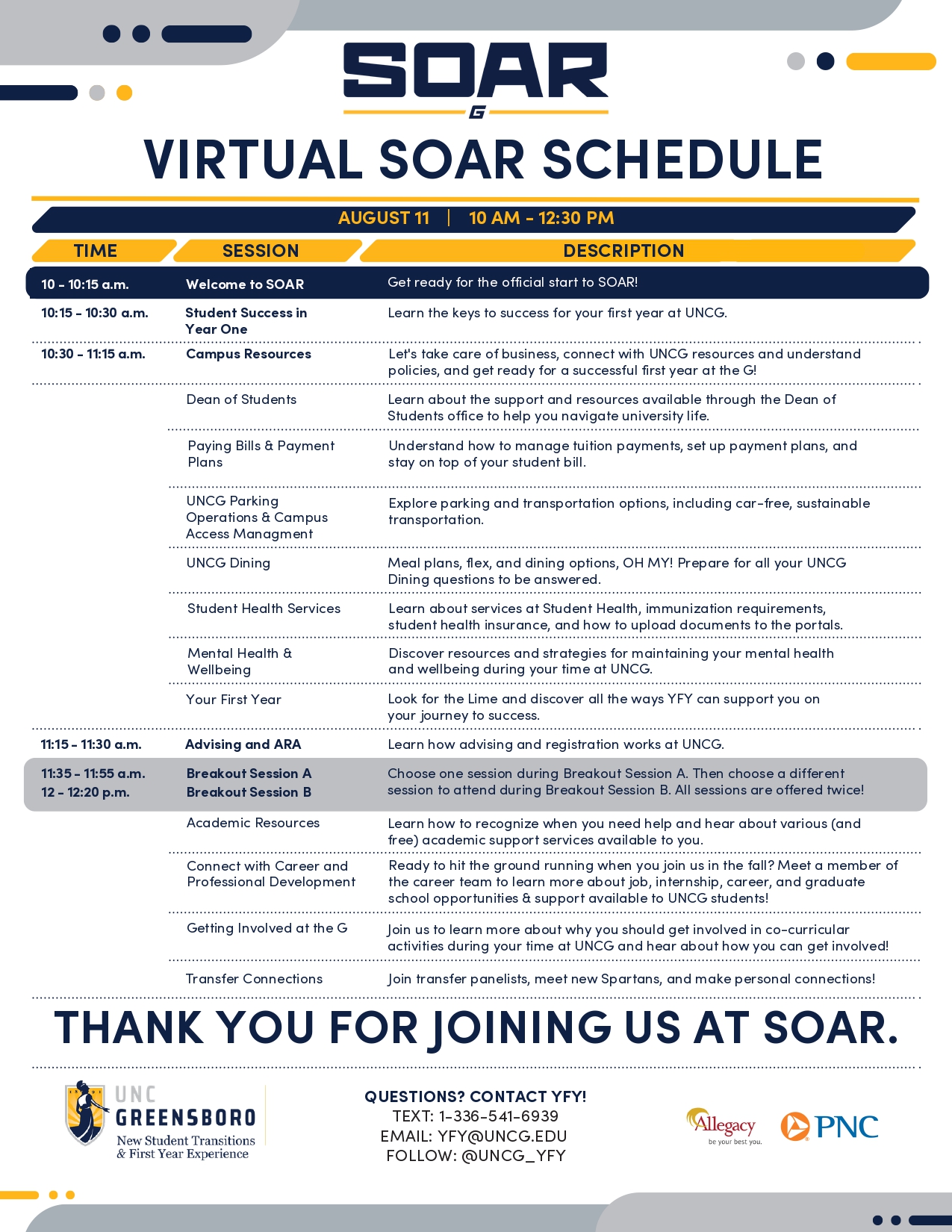
Click on the Links Below to Attend a Breakout Session
Virtual SOAR Attendee Guide & Tech Support:
To ensure a smooth connection during the webinar, please review the following tips for Virtual SOAR.
Before Virtual SOAR:
- Ensure you have a strong Wi-Fi connection.
- Close extra tabs and apps.
- Use the Microsoft Teams Desktop App.
- Check your audio settings and/or enable live captions (select “More actions,” “Language and Speech,” and “Show live captions”).
If you experience issues during Virtual SOAR:
- Leave the webinar and rejoin immediately.
- Try using a different web browser or switch to the desktop app.
- If you cannot hear the presenter, check your audio settings and make sure Teams is sending the sound to the correct speakers or headphones.
- Email us at SOAR@uncg.edu or text us at 1-336-541-6939.